
Production handbook
Have lumber mills, but no planks?
Open the Woodworker, review its recipes and reduce crafting you do not need right now. Then check whether planks remain in stock. The developer suggested this downstream demand when a Demo player reported three lumber mills but no planks.
For an existing Demo production chain with lumber mills and a Woodworker. This page does not cover building or unlocking them from scratch.
Updated 2026-10-30 · Demo 0.90
Steps
Find and open the Woodworker
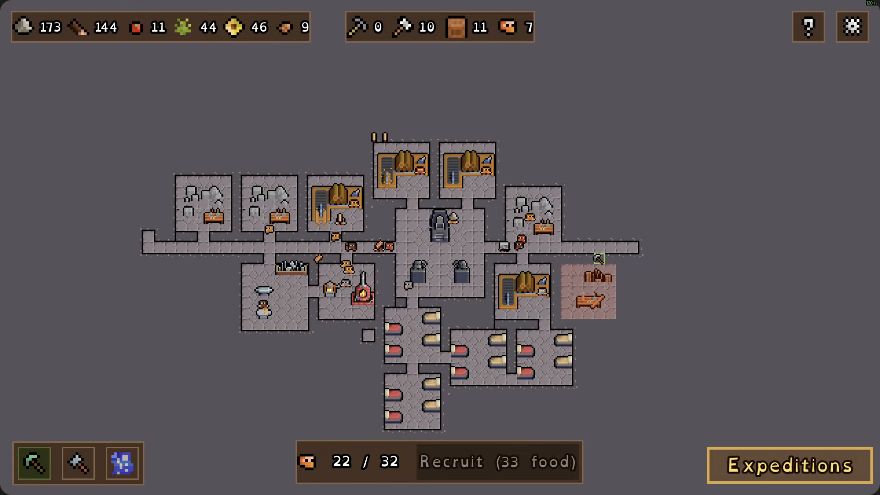
Look for the log pile and wooden workbench, then click the Woodworker to review production.
 Open full-size image ↗
Woodworker placement in GottaBlast's 13 Oct 2026 Demo recording: log pile above the workbench. Check the recipes that use your plank supply
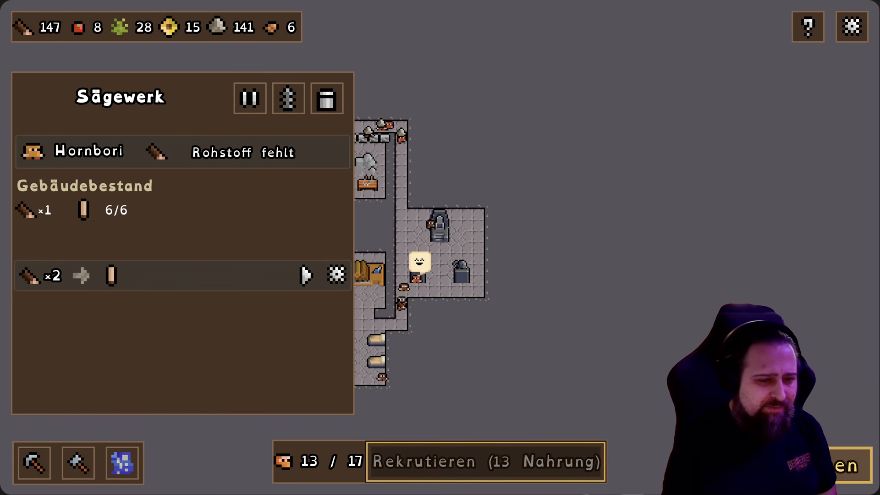
Review the Woodworker's crafting quantities. Torches are made here, and its downstream crafting may be using the planks. The Sawmill example below shows where the recipe gear sits in a production panel; your Woodworker has its own recipe list.
 Open full-size image ↗
German Sawmill panel, EironMaidenTV's 28 Oct Demo recording: recipe gear at the row's right, building pause at the top. Reduce crafting you do not need right now
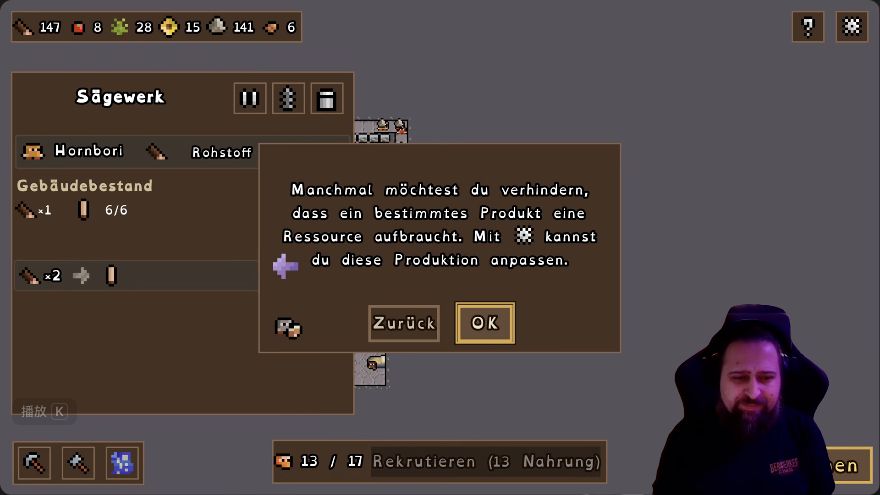
Use the relevant recipe's gear to review and adjust how many should be crafted. Start with downstream production you do not currently need. In Demo 0.90, limits for the same recipe are synchronized across buildings, so do not count on each workstation having its own separate quota.
 Open full-size image ↗
The tutorial says to use the gear to adjust a product's production and prevent it using up a resource. Check whether planks now remain in stock
Let the production chain run and watch the plank stock rather than only counting mills. Compare whether planks remain available after the unwanted downstream crafting has been reduced.
What should change
Planks remain available after the unwanted downstream crafting is reduced, instead of being consumed as fast as they appear.
If it still does not work
If plank stock still does not improve, the Woodworker-demand diagnosis is not confirmed for your save. Check the affected recipe's paused state and available input. Also distinguish an empty input from a full output stockpile: Demo 0.90 Smart Stockpiles pauses the corresponding production when its target item's stockpile is full. Check that target-item stock before adding more mills.
Next check
Sources & scope
Rules: Demo 0.90. The 13 October Woodworker view predates 0.90. The production-panel examples show a German Sawmill in the 28 October Demo recording.