
Expeditions handbook
Choose your mine party and pack its equipment
Choose the mine, set the party through the pickaxes you send, then use + and − to pack equipment. Check the selected party's carry capacity and final loadout before starting.
You have unlocked mines and forged at least one pickaxe.
Updated 2026-10-31 · Demo
Steps
Choose mine, then set the pickaxes and dwarf count
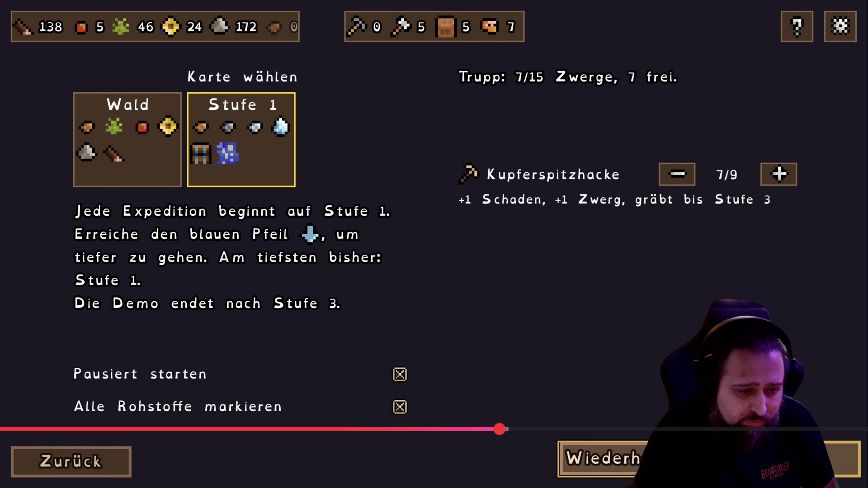
Select the mine destination. Use the pickaxe row to choose how many go on the expedition; the tutorial connects that count with the dwarves you can send. Forge more pickaxes at the Blacksmith if you need a larger mine party.
 Open full-size image ↗
Kupferspitzhacke means Copper Pickaxe. The 28 Oct Demo row shows +1 damage, +1 dwarf and digging to floor 3. Pack equipment on the next screen
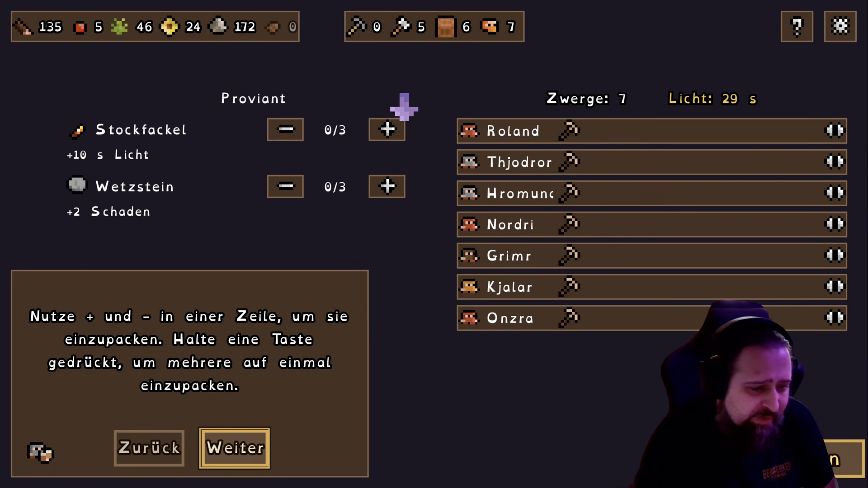
Use + to add an equipment item and − to remove it. Holding a button packs several. Owning torches in the base does not mean they are already in this party's loadout.
 Open full-size image ↗
Use the − and + controls beside each equipment row to change the packed amount. Read each item's effect
Compare the displayed light and damage effects before packing. Torches extend expedition time; the other equipment provides one-run bonuses.
Effects visible in the 28 October Demo recording Item Displayed effect Preparation check Basic Stockfackel / Stick Torch +10 s light Pack it, then check the displayed light Whetstone +2 damage Check the amount selected for this run Copper Pickaxe +1 damage; +1 dwarf; digs to 3 Set the party before packing gear Check the selected party's carry capacity
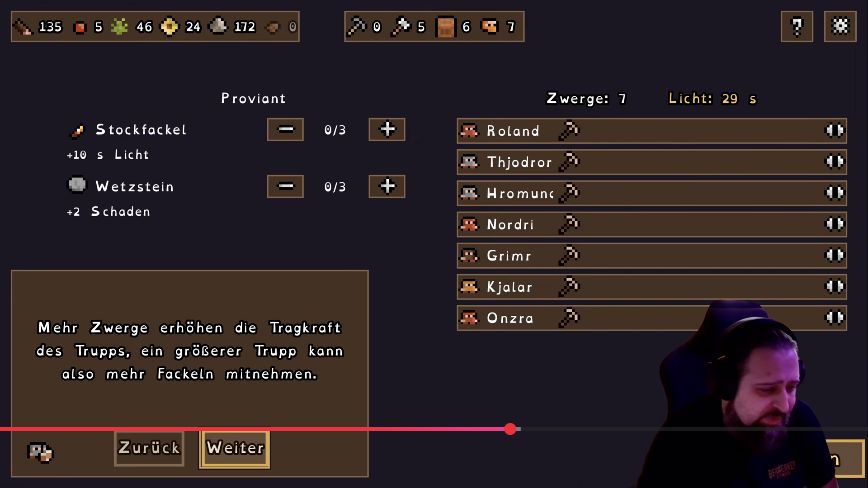
Watch each row’s counter while packing. More dwarves increase the party’s carrying capacity, allowing more torches.
 Open full-size image ↗
The two equipment rows show 0/3 before packing. Use + to add an item. Recheck the loadout after changing the squad
In Demo 0.90, changing squad size prompts gear reselection. Recheck the new party count, packed items and displayed light before starting.
What should change
The intended pickaxes and equipment are selected, and the loadout fits the party's displayed capacity.
If it still does not work
If you own an item but it is not packed, check that row's + control and the selected party's capacity. If torches are missing from stock, follow the Woodworker production check below.
Next check
Sources & scope
Packing controls, capacity and item effects are from EironMaidenTV's 28 October Demo recording; its exact build is unstated. The gear-reselection rule is documented in Demo 0.90.